# 如何创建令牌

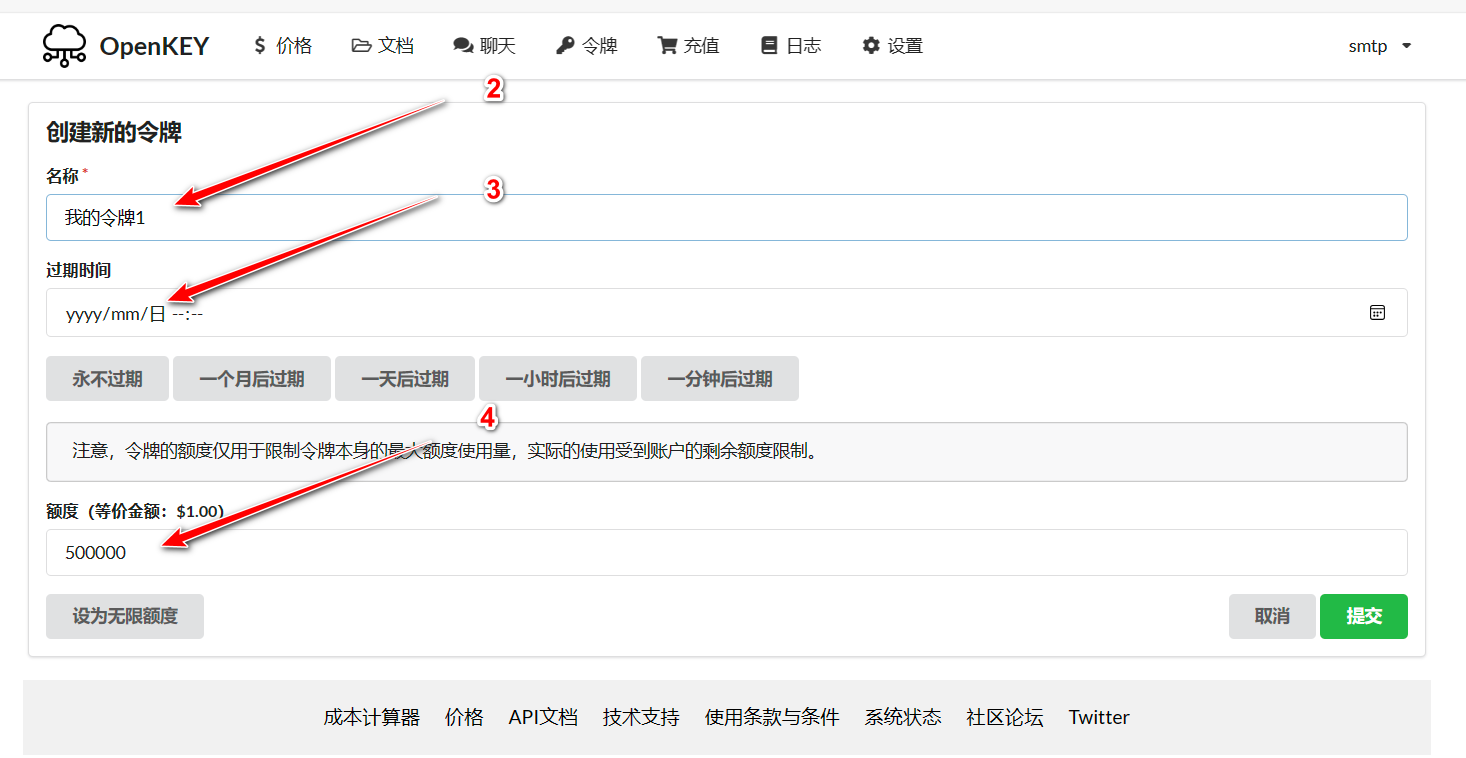
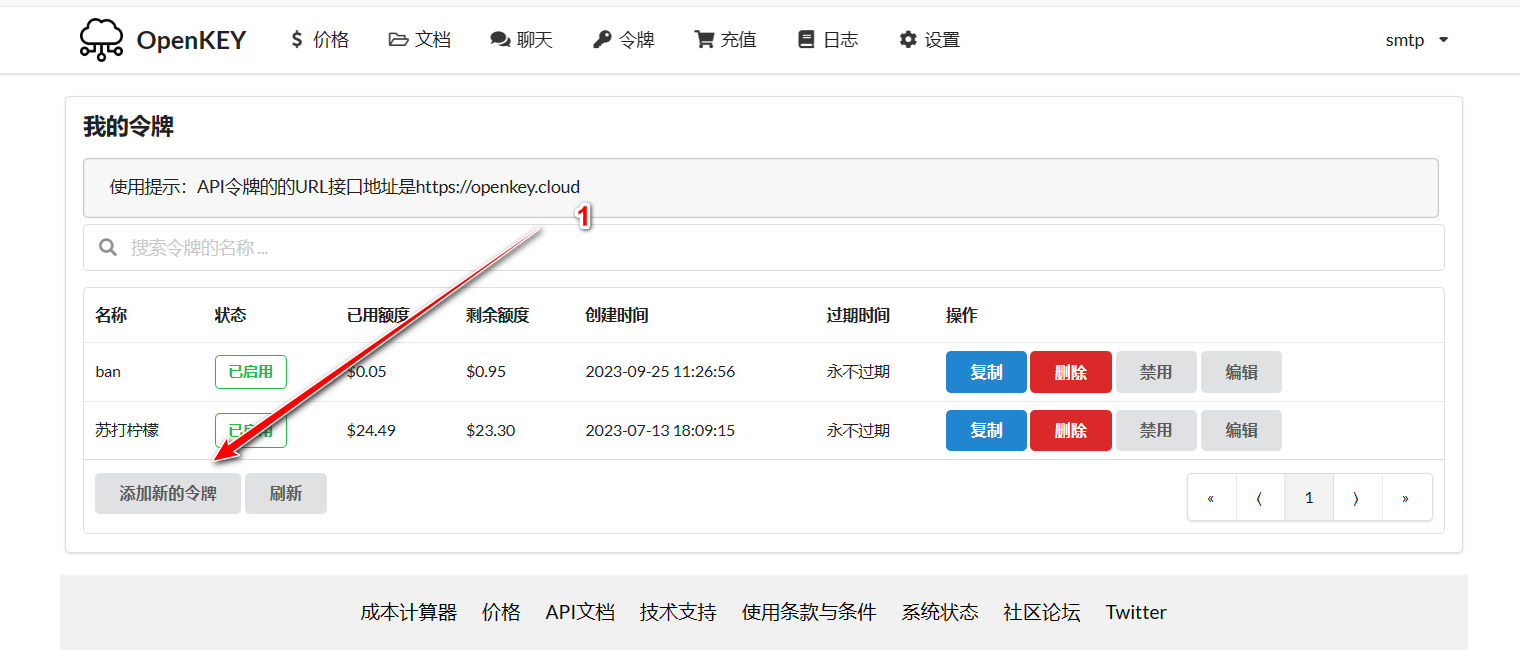
打开[**令牌**](https://openkey.cloud/token)页面，点击添加新的令牌，输入令牌的名称、过期时间、额度。

{% hint style="info" %}
注意：额度的单位是tokens，可以按照$1.00 : 500,000 tokens来推出你需要设置的数量。
{% endhint %}
<figure><img src="/files/2pXbSIPvLdRsmAa2WdE4" alt=""><figcaption><p>1-1</p></figcaption></figure>

<figure><img src="/files/D1muS2Lk2fucBE7grJAv" alt=""><figcaption><p>1-2</p></figcaption></figure>

<figure><img src="/files/X6xWSNPwqkBTkQxIKJy6" alt=""><figcaption><p>1-3</p></figcaption></figure>

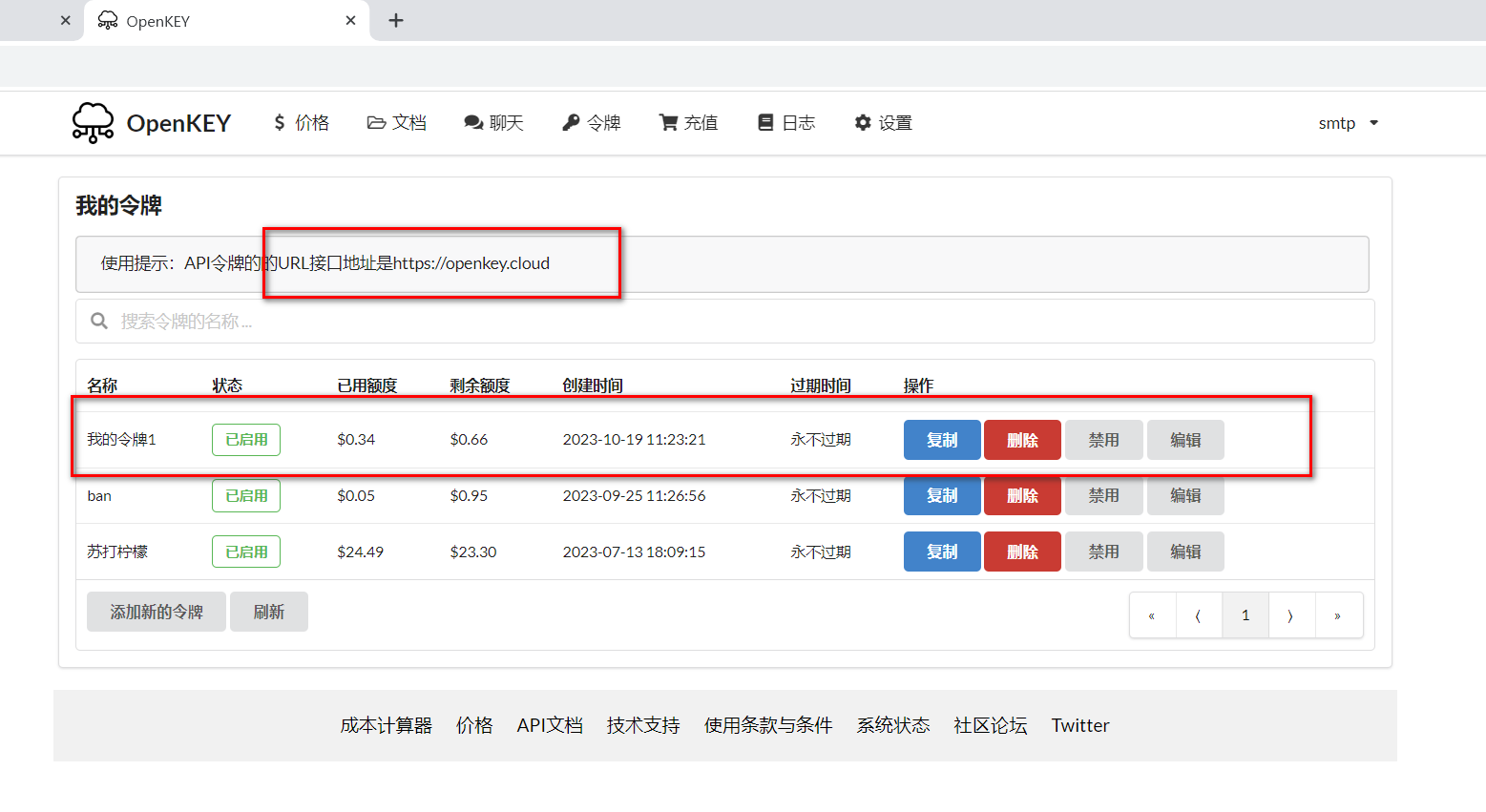
点击复制，即可复制对应的令牌，接口地址统一是：[https://openkey.cloud](https://openkey.cloud/chat)


---

# Agent Instructions: Querying This Documentation

If you need additional information that is not directly available in this page, you can query the documentation dynamically by asking a question.

Perform an HTTP GET request on the current page URL with the `ask` query parameter:

```
GET https://docs.openkey.cloud/help/how-create-token.md?ask=<question>
```

The question should be specific, self-contained, and written in natural language.
The response will contain a direct answer to the question and relevant excerpts and sources from the documentation.

Use this mechanism when the answer is not explicitly present in the current page, you need clarification or additional context, or you want to retrieve related documentation sections.